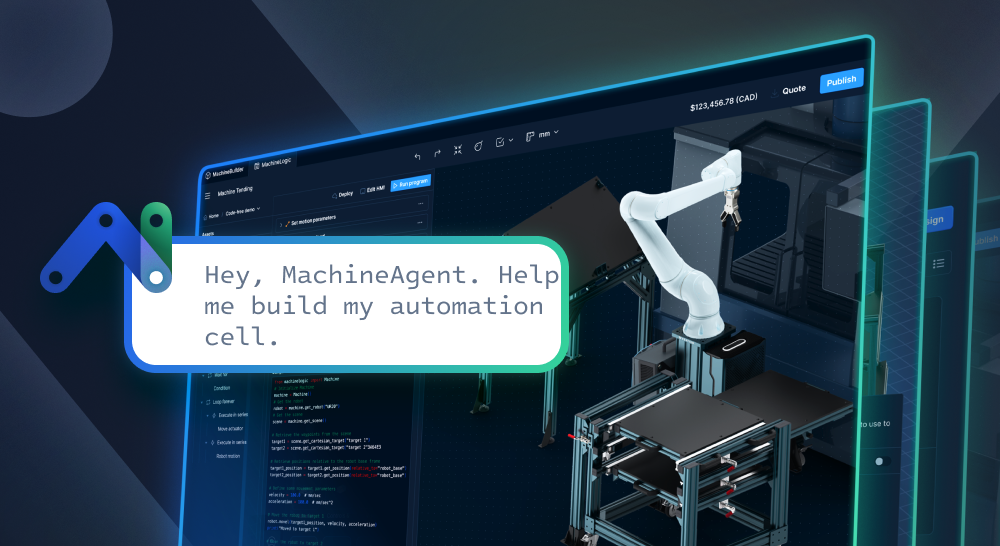
Businesses in today’s industrial sectors have moved beyond questioning whether or not they should automate. Many are now in the midst of multiple software vendor selection processes for design, programming, and even for monitoring production lines. According to G2, 71% of software buyers rely on AI chatbots for part of that evaluation. Today, there are ways to take chatbot use from the research process and into the automation project lifecycle itself.
That’s where Vention innovates with MachineAgent™. Here’s how it uses artificial intelligence to make the automation workflow smarter, more accessible, and more scalable than ever before.
Introducing: MachineAgent
MachineAgent brings Agentic AI to each stage of automation. Users type plain-language prompts, and MachineAgent will produce automation cell design layouts, production-ready code, performance analytics, and troubleshooting guidance. It’s the same design, program, and operate workflow used with MachineBuilder, MachineLogic, and MachineAnalytics, but with new agentic functionality.
MachineAgent is a set of skills and open interfaces, including the Vention CLI and the Vention MCP server. This enables users to use the AI coding agent of their choice.
Why MachineAgent Matters for Today’s Manufacturers
Every industrial sector today feels the labor gap in their operations. When it comes time to automate, most systems require manufacturers and system integrators to master separate tooling for the design, programming, and monitoring stages. These processes may look like:
- Cell design specialists creating designs part-by-part.
- Programming specialists writing the code and debugging it on the floor.
- Support engineers going on site to pull logs and troubleshoot.
MachineAgent collapses those siloed stages effectively into one AI layer, enabling seamless movement between phases on one platform. And because it’s powered by plain-language prompts, each stage becomes more accessible to the non-technical users working within them. The goal is not to completely remove engineering expertise, but rather to redistribute the bulk of their labor to higher-value activities.
Getting Set Up
Before getting started with MachineAgent, there are 5 requirements a team must meet.
- You must have an active Vention account with access to MachineBuilder.
- To program, you must have a design containing the MachineMotionAI controller and at least one supported automaton component.
- To deploy hardware, the MachineMotion AI controller must be connected to MachineCloud.
- To set up the CLI, a local development environment like Node.js and an API token must be available.
- To set up the MCP server, you must have an AI agent that supports the Model Context Protocol, like Claude Code, Claude Desktop, Cursor, VS Code, or OpenAI Codex.
Once you meet the requirements and get connected, your agent can work with your designs and query your deployed machines in the same chat where you write application code.
Using MachineAgent Skills
MachineAgent skills can be used within the Agent of your choice. Installation depends on which agent you are using (Claude, Codex, etc), but is typically just unzipping the MachineAgent skills .zip file. Skills are provided to support Vention cell layout, programming, monitoring, and troubleshooting.
It’s worth noting that skills are guides. AI agents can produce incorrect or incomplete outputs, and these should be reviewed by the right technical teams prior to deployment.
How MachineAgent Speeds Up and Simplifies the Automation Project Lifecycle
Design
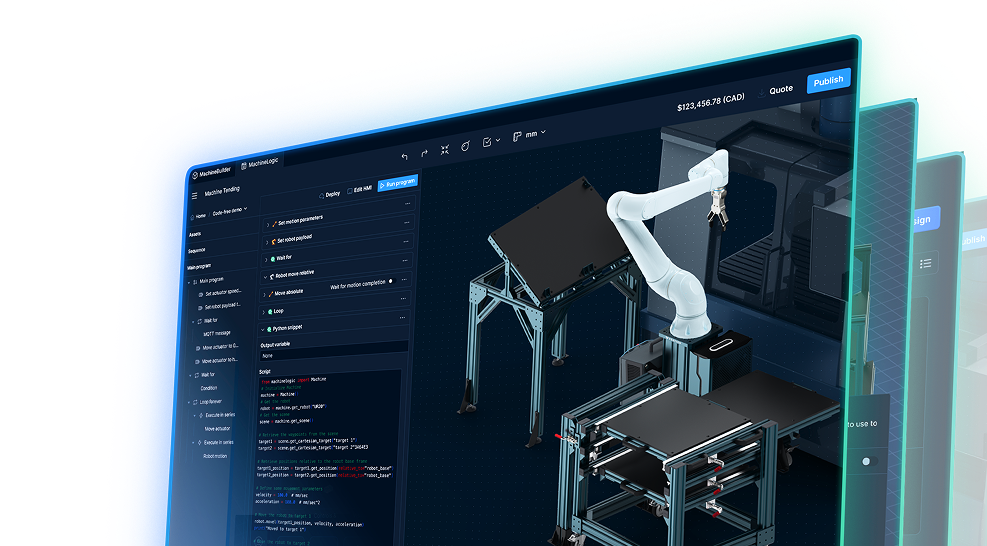
Users can generate a cell layout in MachineBuilder with MachineAgent via simple plain-language prompts. They can also provide floorplan details and identify the desired machines they would like placed into the facility design.
Generated layouts in this process should be treated as starting points. Users are still required to review using the Automated Design Checker, and safety-related design elements must be approved by a qualified engineer before the next phase.
Program
MachineAgent can be used in multiple ways during the programming phase. MachineLogic Copilot is the programming interface within MachineLogic. With full context of your machine’s configuration and robot scene assets, Copilot enables users to refer to actuators, robots, and outputs by name in their prompts. Users can then use it to:
- Generate a new application from a prompt by describing what the application should do
- Modify or debug an existing application with prompts and applicable error details
Users can also use the Vention CLI and the Vention Developer Toolkit. This allows them to work on MachineLogic applications from a local IDE and with an already-familiar coding agent like Claude Code. This is the recommended path for more complex applications, for those with a preexisting development workflow, or for those seeking more nuanced version control.
Operating and Troubleshooting
MachineAgent supports two operational use cases through the Vention MCP server and the monitoring skill:
-
Analytics: Teams can prompt MachineAgent for performance analytics across a fleet of deployed machines. Queries like “Which production line had the most downtime last week?” generate immediate answers without users having to sift through dashboards.
-
Troubleshooting: MachineAgent gathers logs and can help identify cable or sensor issues, diagnose faults, and suggest actions users can take. This builds on the data your machines already report to MachineAnalytics.
Powering the Future of Industrial Automation
Tools like MachineAgent help businesses fill engineering gaps, certainly. But by making the automation lifecycle more user-friendly and accessible, the time to deployment and time-to-value also improve. And when the minutiae of the project lifecycle are improved, especially on an end-to-end solution like Vention’s, it opens the door to bigger-picture growth.
Learn more about how Vention uses Agentic AI in our latest guide.